Nothing has started rolling out the Nothing OS 4.0 December update for the Nothing Phone (3), bringing a mix of visual refinements, system optimisations, bug fixes, and stability improvements. The update focuses on polishing everyday usage rather than introducing major UI changes.
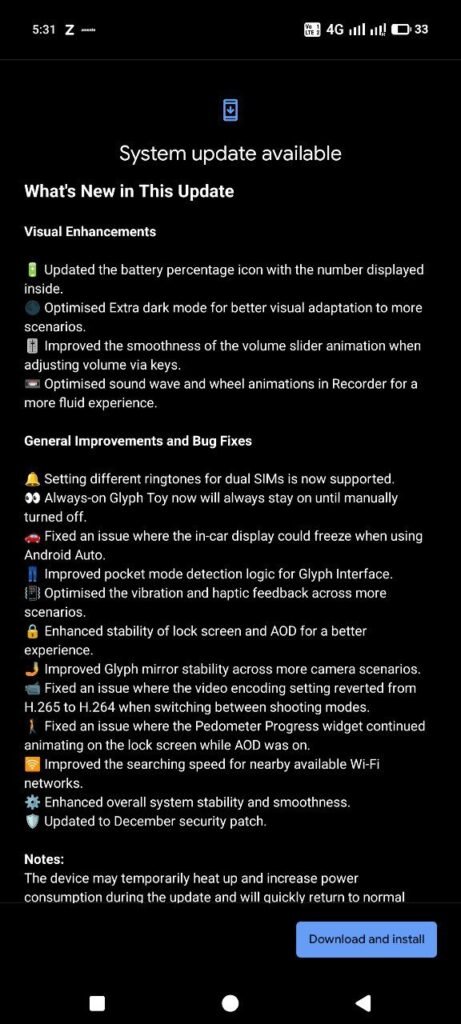
Update Details
- Device: Nothing Phone (3)
- Software version: Nothing OS 4.0
- Update size: 1.28GB
- Security patch: December 2025
The rollout is expected to be phased, meaning it may take a few days to reach all users.
Visual & Interface Improvements
Nothing has refined several UI elements in this update:
- Battery percentage now appears inside the battery icon
- Improved Extra Dark Mode visuals for better readability
- Smoother volume slider animations
- Cleaner Recorder app animations
- Improved lock screen and Always-On Display stability
These changes aim to make the interface feel more fluid and consistent.
Glyph Interface Enhancements
The Glyph system also receives meaningful upgrades:
- Always-on Glyph Toy now stays active until manually turned off
- Improved Glyph pocket mode detection
- More stable Glyph Mirror behaviour in the camera app
These tweaks improve reliability and reduce unwanted behaviour.
Audio, Vibration & Haptics
Audio and feedback have been refined:
- Dual SIM ringtone support added
- Better vibration and haptic feedback
- More consistent response during alerts and notifications
Connectivity & Performance Fixes
Several long-standing issues have been addressed:
- Android Auto freezing issue fixed
- Faster Wi-Fi network scanning
- Improved overall system smoothness
- Better stability across everyday tasks
Bug Fixes Included
The update resolves multiple known bugs:
- Video encoding issues related to H.265 and H.264 fixed
- Pedometer widget AOD animation bug resolved
- Improved stability for Always-On Display
- General UI and background process optimisations
What This Update Means for Users
This December update doesn’t radically change the phone, but it:
- Makes daily usage smoother
- Improves visual consistency
- Fixes annoying bugs
- Enhances Glyph reliability
- Strengthens system security
How to Install the Update
- Go to Settings → System → Software Update
- Download and install the update
- Ensure sufficient battery and storage before installing
Final Thoughts
The Nothing OS 4.0 December update is a refinement-focused release that improves stability, visuals, and reliability. For Nothing Phone (3) users, it’s a recommended update that makes the phone feel more polished and responsive.
Leave a Reply