Nothing has officially started rolling out the Nothing OS 4.0 update for the Nothing Phone (3a) Lite, bringing Android 16 along with a long list of functional upgrades, visual refinements, and early-stage experimental features. The update weighs around 1.03GB and is now reaching users in a phased rollout.
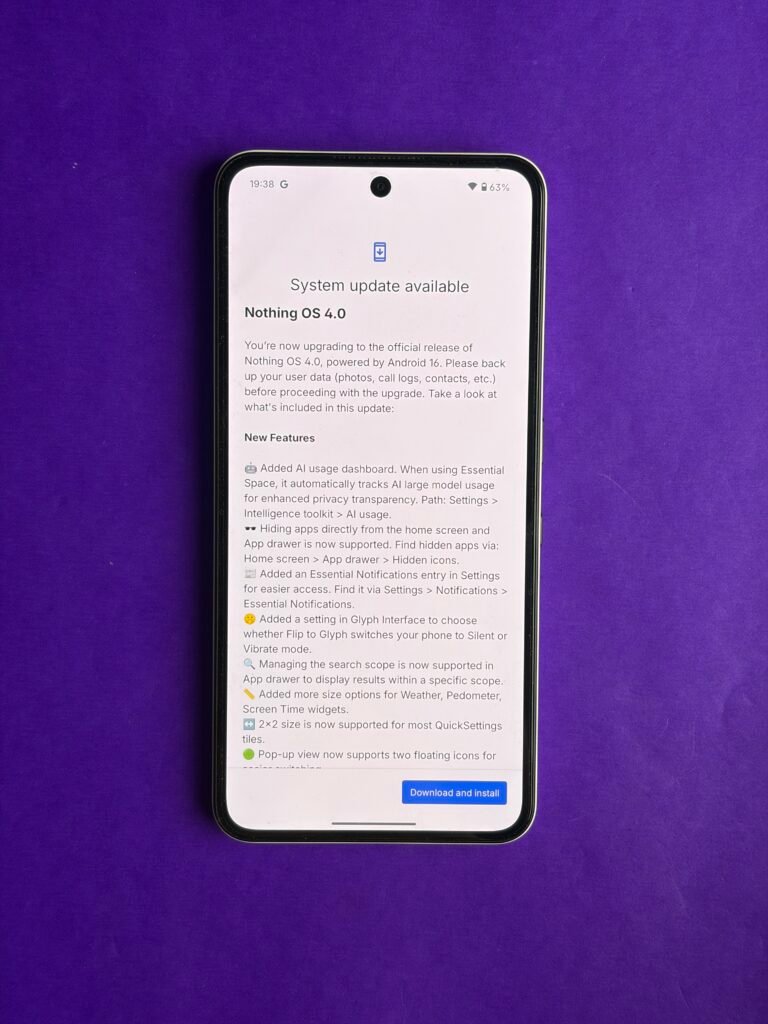
This is a meaningful update, not a routine patch. It touches daily usability, app control, notifications, visuals, and camera behaviour — all areas that directly affect how the phone feels in regular use.
Here’s a clean breakdown of what actually changes and why it matters.
Core additions focused on control and efficiency:
- New AI usage dashboard
- Gives users a clearer view of how AI-driven features are being used
- Helps understand background activity and optimise usage patterns
- App hiding controls
- Apps can now be hidden from both the Home screen and App Drawer
- Useful for decluttering or keeping certain apps out of sight
- Essential Notifications shortcut
- Faster access to priority alerts
- Reduces time spent digging through notification stacks
- Flip to Glyph improvements
- Adds Silent and Vibrate behaviour options
- Makes Glyph lighting more practical in meetings or public spaces
- App Drawer search scope controls
- Narrow down what the search looks for
- Faster results, less noise
- Expanded widget support
- More size options for Weather, Pedometer, and Screen Time widgets
- Better layout flexibility on the Home screen
- Larger Quick Settings tiles
- New 2×2 tile layout option
- Easier toggling for frequently used controls
- Dual floating pop-ups
- Run two floating app windows simultaneously
- Improves multitasking without full split-screen
- Dual-SIM ringtone support
- Different ringtones for each SIM
- Makes call identification quicker
- App startup optimisation
- Faster app launches
- Reduced background resource usage
Experimental and early-access features introduced:
- Playground (Alpha)
- A testing space for upcoming ideas and interactions
- Not final, but gives users a preview of Nothing’s direction
- Essential Apps (Alpha)
- Includes community-created tools
- Camera presets and EQ profiles created by users
- Signals a stronger push toward community-driven features
Visual and interface refinements:
- Redesigned Nothing icon set
- Cleaner, more consistent visual language
- Updated status bar layout
- Subtle changes that improve readability
- Two new lock screen clock styles
- More personalisation without third-party apps
- Enhanced Extra Dark Mode
- Better contrast and reduced eye strain
- Useful for low-light and night usage
Camera-focused updates that affect real-world use:
- New preset styles
- Faster access to preferred shooting looks
- Adjustable filter intensity
- More control instead of fixed filters
- New stretch-style effects
- Additional creative options
- Updated Nothing watermarks and frames
- Cleaner branding on photos
- LUT and watermark support inside presets
- Lets users save complete shooting styles
- Reduces post-processing steps
Why this update matters:
- Android 16 features arrive early on a budget-focused Nothing device
- Daily usability improves without changing how users already interact
- Strong focus on personalisation, not just visuals
- Camera workflow becomes faster and more flexible
- Signals Nothing’s continued emphasis on community and experimentation
The rollout is phased, so not every device will see it immediately. Users can manually check by heading to Settings → System → Software updates.
Leave a Reply