Brave is already known for speed and privacy, but most users run it with default settings. With a few targeted tweaks, you can significantly improve how Brave looks, feels, and performs—without installing extra tools or risking stability.
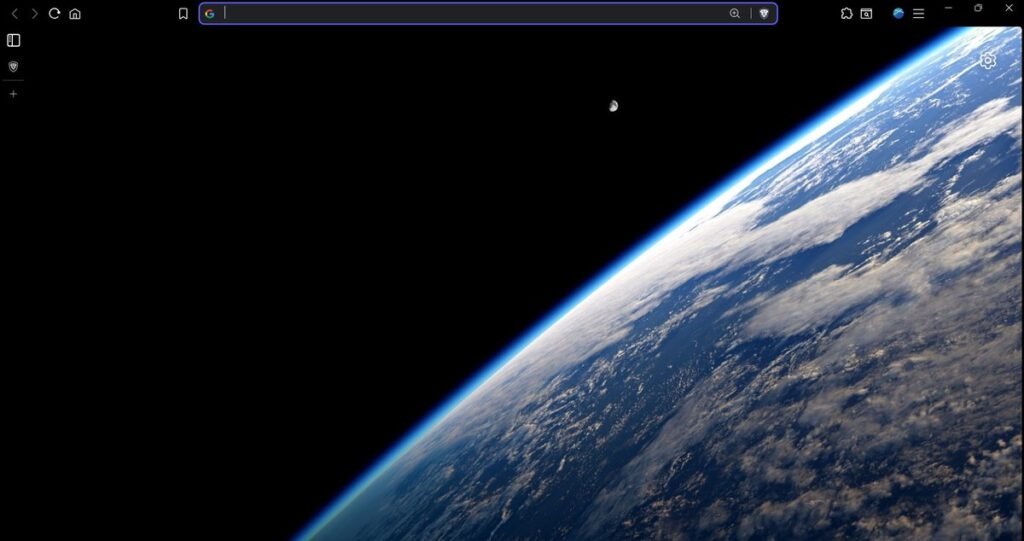
This guide focuses on practical changes that reduce clutter, lower memory usage, and make everyday browsing smoother.
Start with interface cleanup
Visual noise adds friction. Cleaning the UI makes navigation faster and easier on the eyes.
Key UI optimizations:
- Enable vertical tabs
Better tab management, especially if you keep many tabs open. It reduces horizontal clutter and makes scanning easier. - Disable sponsored images on the new tab page
This removes unnecessary visual distractions and avoids extra network requests. - Customize the new tab layout
Remove widgets, cards, and stats you don’t use. A blank or minimal new tab loads faster and feels calmer. - Hide the bookmarks bar (Ctrl + Shift + B)
If you rarely click bookmarks, this frees vertical space and makes pages feel less cramped. - Remove unused extension icons from the toolbar
Even inactive-looking icons add visual clutter and slow down interaction.
Result:
- Cleaner layout
- Faster navigation
- Less cognitive load
Cut memory usage where it actually matters
Most performance problems in modern browsers come from extensions, not websites.
High-impact performance fixes:
- Uninstall extensions you don’t actively use
Extensions are the biggest RAM drain in Chromium-based browsers. If you haven’t used one in weeks, remove it. - Keep only essential extensions visible
Fewer background scripts means lower CPU and memory usage. - Enable hardware acceleration
This offloads rendering and video playback to your GPU, improving smoothness on most systems.
Important note:
- If you notice YouTube stutter, video lag, or frame drops after enabling hardware acceleration, turn it off.
- Performance depends on your GPU and driver stability.
Result:
- Lower RAM consumption
- Reduced CPU spikes
- Smoother multitasking
Optimize Brave’s built-in performance features
Brave includes tools many users ignore, but they directly affect speed and readability.
Recommended settings:
- Set Shields to “Aggressive”
Fewer trackers, fewer scripts, and faster page loads on most sites. - Enable Speedreader for articles
Strips ads, pop-ups, and clutter, loading only the core content. Ideal for blogs, news, and documentation. - Use a static or simple custom background
Avoid animated or high-resolution images that add unnecessary GPU and memory load.
Result:
- Faster page rendering
- Cleaner reading experience
- Less background activity
🚀 Need a Shopify Store That Converts?
I build fast, clean Shopify stores for DTC brands that want more sales, not just a pretty site.
What you gain from these changes
After applying these tweaks, most users notice immediate improvements:
- Noticeably cleaner interface
- Faster startup and tab switching
- Lower RAM usage during long sessions
- More consistent scrolling and video playback
These changes don’t alter how Brave fundamentally works. They simply remove friction that builds up over time.
Who this is best for
- Developers and researchers with many tabs open
- Students using low or mid-range hardware
- Anyone who values speed, focus, and minimalism
- Users tired of browsers feeling “heavy” after a few hours
You don’t need a new browser to get a better experience. You just need better defaults.
Leave a Reply