Samsung has released a significant update to its Camera Assistant app, and the timing suggests clear preparation for the next flagship cycle.
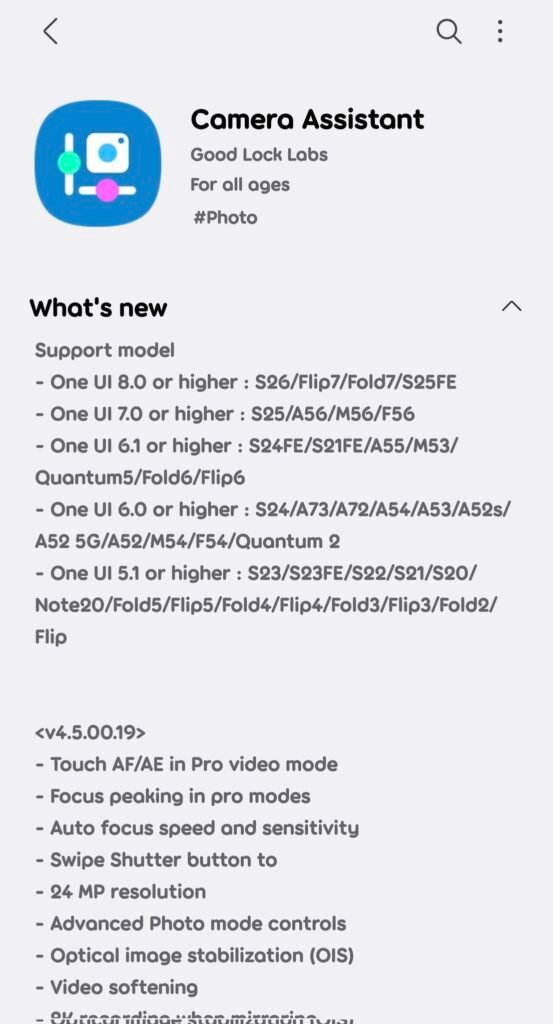
The new build, version 4.5.00.19, expands manual control, adds professional video tools and introduces workflow features typically seen on dedicated camera systems.
Rather than adding flashy filters, this update focuses on control, consistency and flexibility — areas increasingly important for creators.
One of the most noticeable changes is image resolution handling:
• A new 24MP default shooting option can be enabled
• This sits between traditional 12MP binning and full high-resolution modes
• The goal is better detail without the storage and processing cost of ultra-high resolution
For many users, 24MP is emerging as a practical balance between quality and speed.
Video tools receive some of the biggest upgrades:
• Touch-based autofocus and exposure control now available in Pro Video
• Adjustable autofocus speed and sensitivity
• Video softening control for skin texture and cinematic output
• 8K recording support even when screen mirroring
These changes bring smartphone video workflows closer to mirrorless camera behavior, especially for creators who rely on manual focus pulls.
Manual photography features expand across Pro modes:
• Focus peaking added for precise manual focusing
• Advanced Photo controls give deeper exposure tuning
• Optical image stabilization can now be manually adjusted
• Presets allow saving preferred shooting setups
Presets are particularly important because they reduce setup time — a key factor in real-world shooting.
Interface customization also evolves:
• On-screen indicators can be customized
• Additional shooting modes introduced
• Better visual feedback for manual adjustments
Small UI changes often have a large impact on usability during fast shooting scenarios.
A notable addition targets professional accessories:
• Support for TILTA wireless lens controller integration
This suggests Samsung is positioning its camera ecosystem for external hardware workflows, something previously limited mostly to dedicated cameras.
Accessory integration indicates a long-term strategy rather than a one-off feature.
What this update signals about the upcoming flagship cycle:
• Stronger focus on creators rather than casual photography
• Greater emphasis on manual control and workflow speed
• Software differentiation is becoming as important as hardware
• Camera features are increasingly designed around video
This aligns with the broader industry movement where camera experience is defined by processing and usability, not just sensors.
🚀 Need a Shopify Store That Converts?
I build fast, clean Shopify stores for DTC brands that want more sales, not just a pretty site.
Practical benefits for users:
• Faster access to consistent camera settings
• More reliable manual video control
• Better detail without heavy file sizes via 24MP mode
• Expanded accessory compatibility for advanced setups
These improvements affect everyday shooting as much as professional use.
The timing is important.
Releasing these tools ahead of a major flagship launch suggests Samsung wants the camera experience ready from day one rather than improving it months later.
That approach reduces early-review criticism and improves long-term perception of the device.
The 24MP default option may become the most widely used change.
It offers a middle ground that many users have been requesting — sharper photos than standard modes without the overhead of full-resolution shooting.
Overall, this update reflects a shift in smartphone photography priorities:
• Control over automation
• Consistency over experimentation
• Workflow efficiency over feature quantity
In the current flagship landscape, camera software maturity is becoming a primary differentiator.
Leave a Reply