WhatsApp has started rolling out a new privacy-focused feature called Strict Account Settings, aimed at users who want maximum protection with minimal setup. The feature is now appearing globally and can be enabled directly from the app settings as it reaches more accounts.
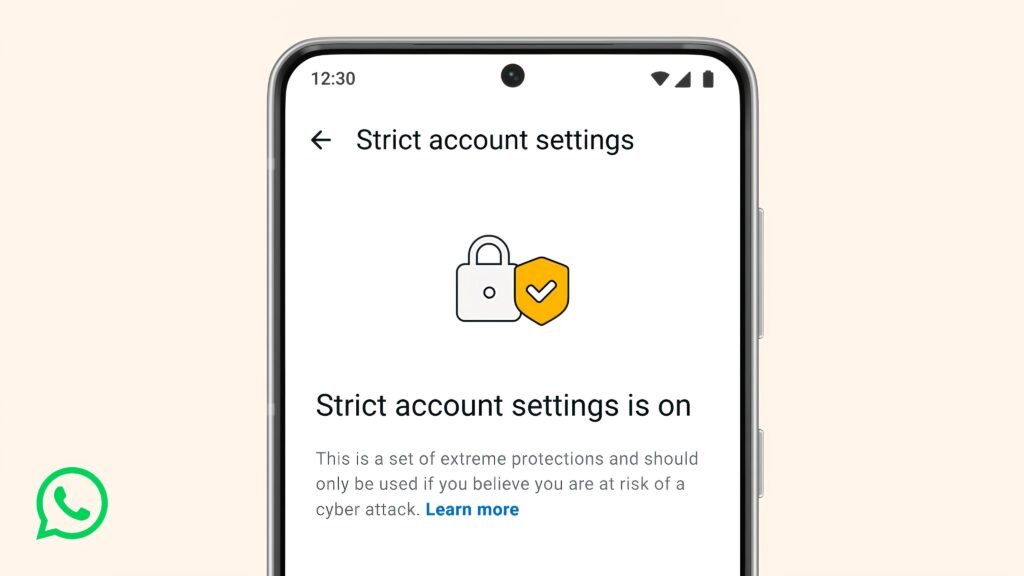
This update is designed for people who are more exposed to digital risks, but it’s equally useful for everyday users who want tighter control over who can reach them and what content gets through.
What Strict Account Settings does in simple terms:
- Adds a single toggle that activates WhatsApp’s highest privacy protections
- Reduces exposure to spam, scams, and targeted cyber attacks
- Works silently in the background without changing how chats look or feel
- Designed for fast setup, no technical knowledge required
Once enabled, the feature adjusts multiple privacy layers at the same time.
Where to find it:
- Open WhatsApp
- Go to Settings
- Tap Privacy
- Select Advanced
- Turn on Strict Account Settings
The option appears automatically as the feature rolls out to your account.
Key protections enabled by Strict Account Settings:
- Blocks automatic media downloads from unknown contacts
- Prevents link previews from loading in messages sent by unfamiliar numbers
- Mutes calls from unknown callers by default
- Reduces the chances of malicious links opening accidentally
- Limits exposure to tracking attempts through shared media
These changes help stop threats before they reach your screen.
Why this feature matters right now:
- Online scams are becoming more targeted and harder to detect
- Attackers increasingly rely on preloading and media files
- Public-facing users are more likely to receive unsolicited messages
- Privacy settings are often scattered and overlooked by users
Strict Account Settings bundles these protections into one switch.
Who benefits the most:
- Journalists and media professionals
- Activists and researchers
- Public figures and influencers
- Business owners using WhatsApp for work
- Anyone receiving frequent messages from unknown contacts
That said, this is not limited to high-risk users. Anyone can enable it.
How it changes your daily WhatsApp use:
- Messages from unknown numbers still arrive, but with reduced risk
- You stay in control without blocking everyone outright
- Known contacts continue to work as usual
- No need to review or tweak multiple privacy menus
It’s a preventive layer, not a restrictive one.
Privacy and security approach:
- The feature builds on WhatsApp’s existing end-to-end encryption
- No messages are scanned or stored differently
- All controls run locally within the app
- No additional data is shared with servers
This keeps the experience private while improving safety.
Why WhatsApp introduced this now:
- Users often fail to adjust advanced privacy settings
- Security options were spread across different menus
- A single-toggle solution reduces friction and setup time
- It aligns with growing concerns around digital safety
By simplifying protection, WhatsApp increases the chances users actually enable it.
What this does not do:
- It does not block all unknown messages
- It does not replace two-step verification
- It does not monitor or read your chats
- It does not notify contacts that it’s enabled
Think of it as a silent shield, not a lockdown.
WhatsApp continues to expand privacy features as threats evolve. Strict Account Settings is one of the most practical updates so far, especially for users who want better protection without constant manual adjustments.
If you care about reducing risk, avoiding spam traps, and keeping control over who reaches you, this is a setting worth enabling.
Leave a Reply